SHLDr Partner Lab – Laboratory Operations App
A mobile application interface for partner laboratory teams to access their lab workspace, review booking and test-processing activity, monitor revenue and view operational summaries. The screens bring lab access and key performance information together in a clear, mobile-friendly layout.
About SHLDr Partner Lab
The Partner Lab interface is designed for laboratory partners and their staff. The dashboard presents a quick summary of work status, monthly revenue and booking activity, helping users review important operational figures from one place.
Key Areas
- Lab administrator and collection agent login options
- Partner lab main dashboard
- Needs Action, In Progress and Completed summary
- Monthly lab overview and revenue display
- Total bookings and tests processed summary
- Cancelled and rejected booking counts
- Simple mobile-friendly interface
Explore the SHLDr Partner Lab Application
An overview of the supplied Blood Bank login, Lab login and partner dashboard screens.
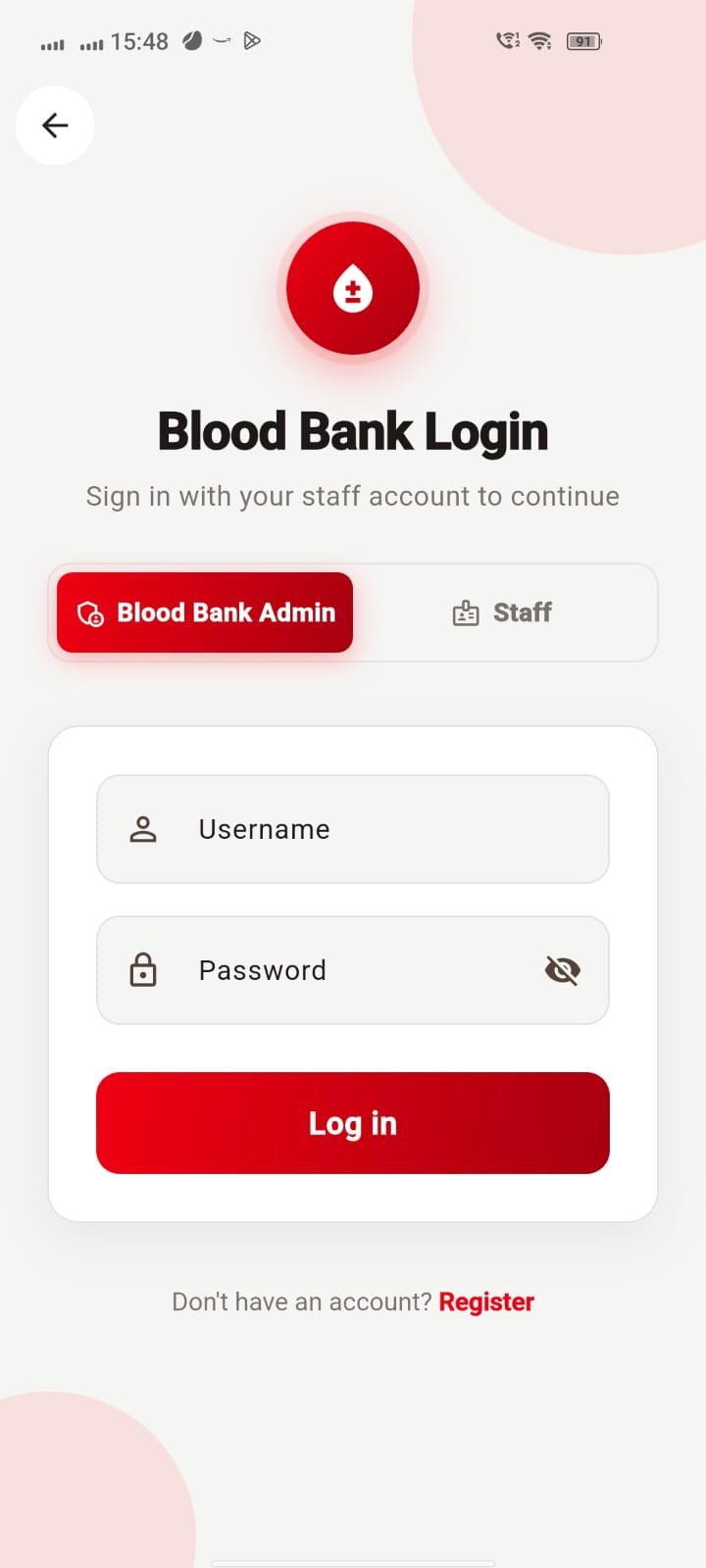
Blood Bank Login
The Blood Bank Login screen provides separate access options for Blood Bank Admin and Staff. The form contains username and password fields, a password visibility control and a Log in button.
A Register link is shown for users who need to create an account. The red visual theme and blood-drop symbol distinguish this login screen from the laboratory login.
BLOOD BANK ACCESS SCREEN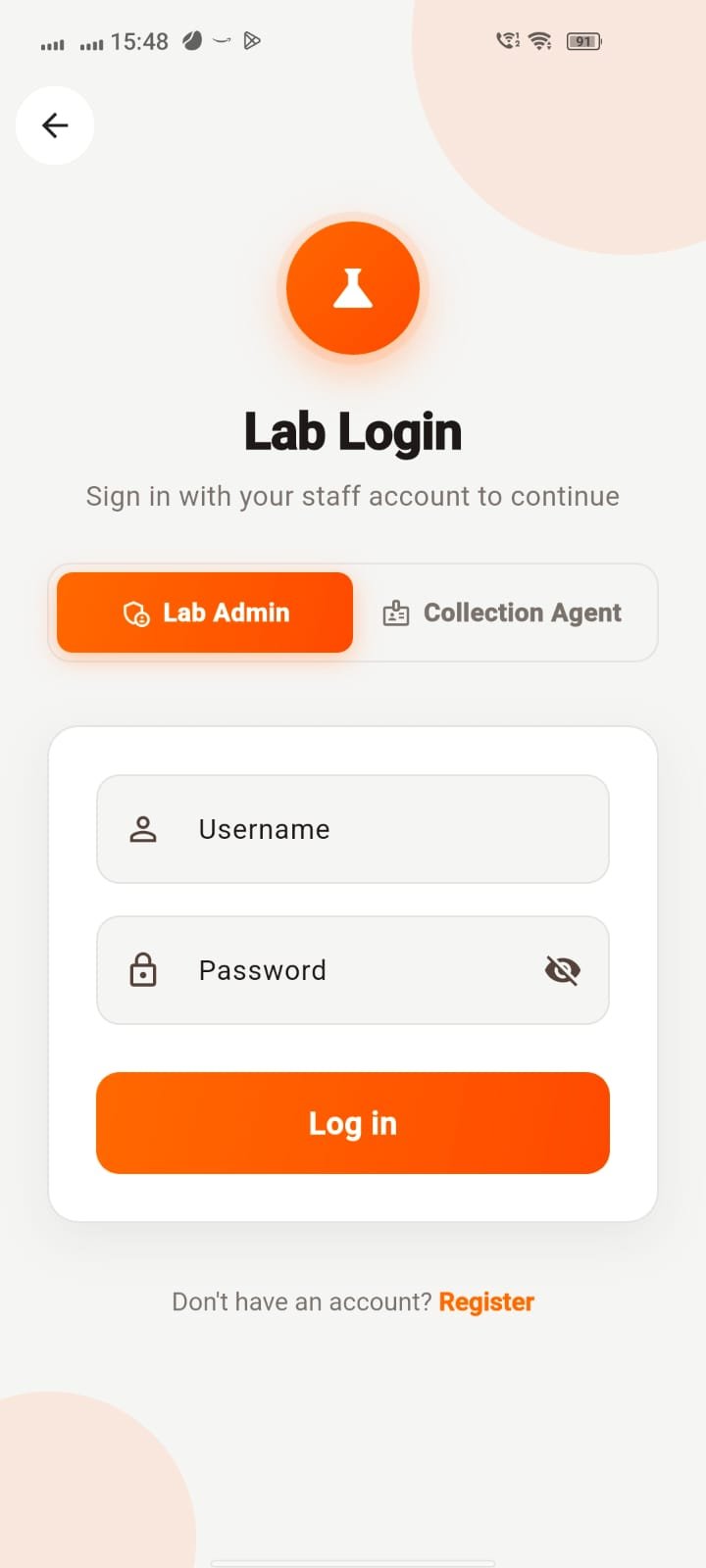
Lab Login
The Lab Login screen gives users two role choices: Lab Admin and Collection Agent. Username and password inputs are provided inside a separate form card, with a Log in button to submit the credentials.
The orange accent colour and laboratory flask icon visually identify this as the laboratory staff entry screen. A Register link appears below the form.
LAB STAFF ACCESS SCREEN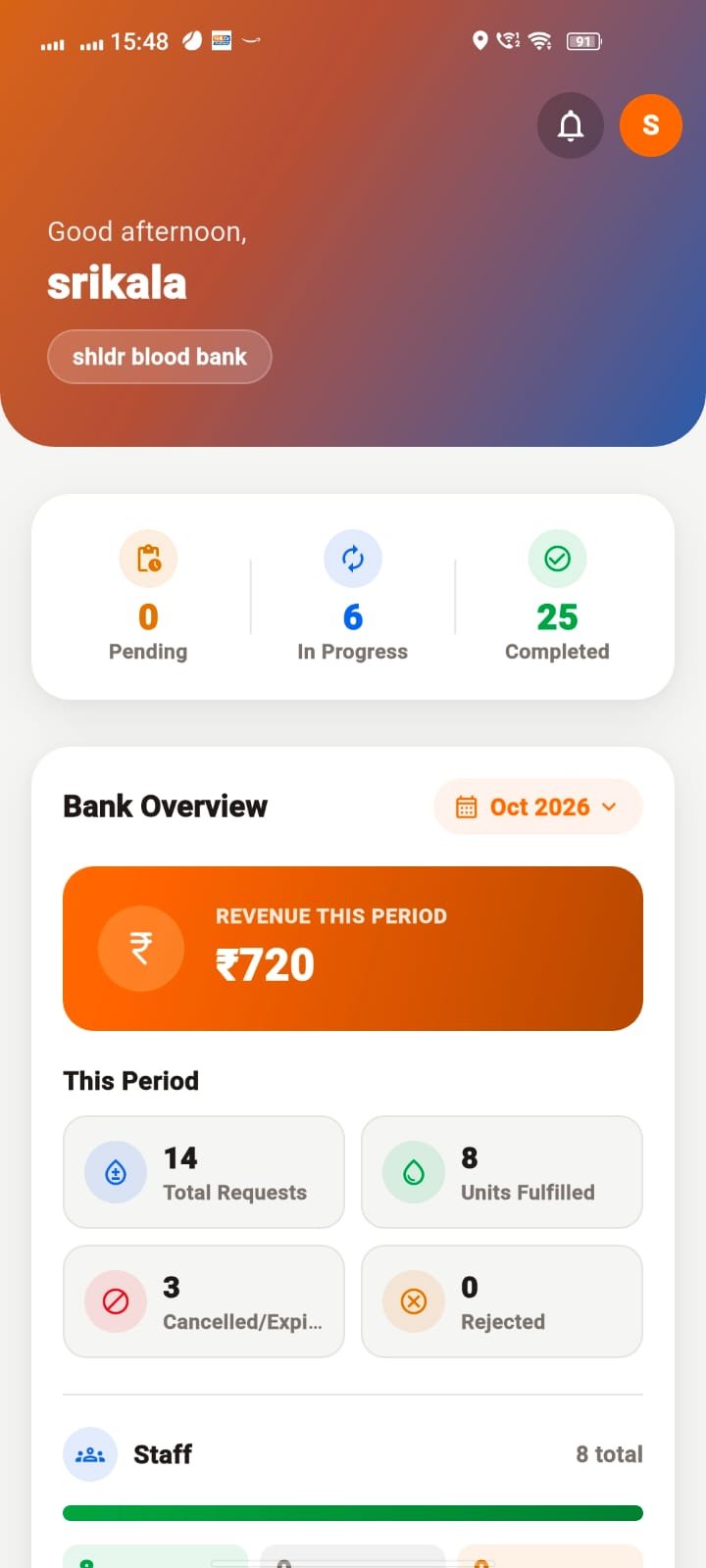
Blood Bank Dashboard
The Blood Bank dashboard displays a greeting and the bank account label, followed by three workflow indicators: Pending, In Progress and Completed. The Bank Overview section includes a month selector and a highlighted revenue card.
The This Period section summarises total requests, units fulfilled, cancelled or expired requests and rejected requests. A Staff row provides an additional view of staff totals.
BLOOD BANK OPERATIONS OVERVIEW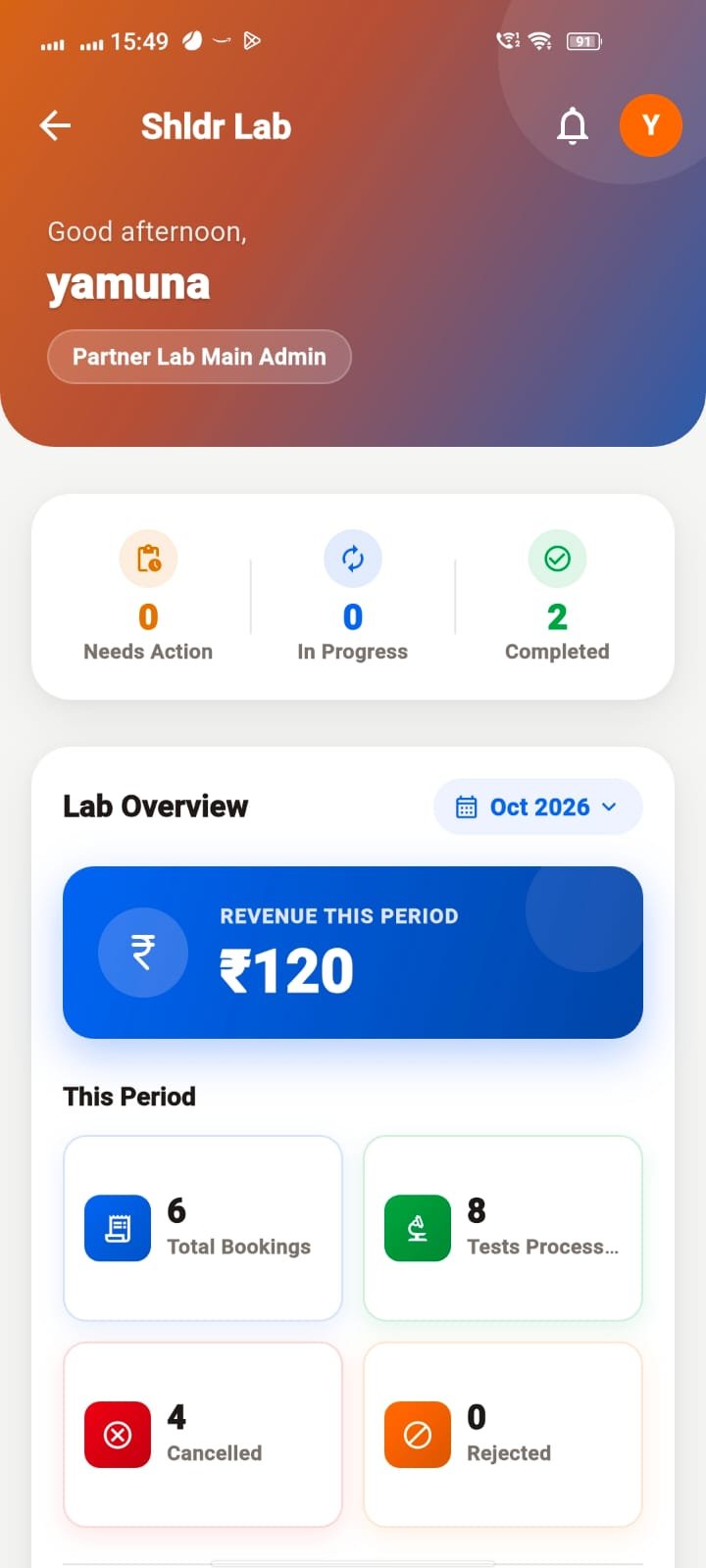
Partner Lab Main Admin Dashboard
The Partner Lab dashboard greets the user and identifies the role as Partner Lab Main Admin. Three summary indicators show Needs Action, In Progress and Completed work.
The Lab Overview is set to October 2026 and displays revenue for the selected period. The supplied screen shows ₹120 revenue, 6 total bookings, 8 tests processed, 4 cancelled bookings and 0 rejected bookings.
These values describe the supplied screenshot and are included here as visible example content, not as live connected data.
LAB BOOKINGS & PERFORMANCEWant to Know More About This Project?
Contact Atoms Software to learn more about the SHLDr Partner Lab interface and its laboratory workflow and dashboard screens.